WasPerfect 5.1 The greatest word processor of 1989. Now on iPad and Mac.
A faithful, from-scratch recreation of the legendary blue-screen
DOS word processor — the function-key template, Reveal Codes, the
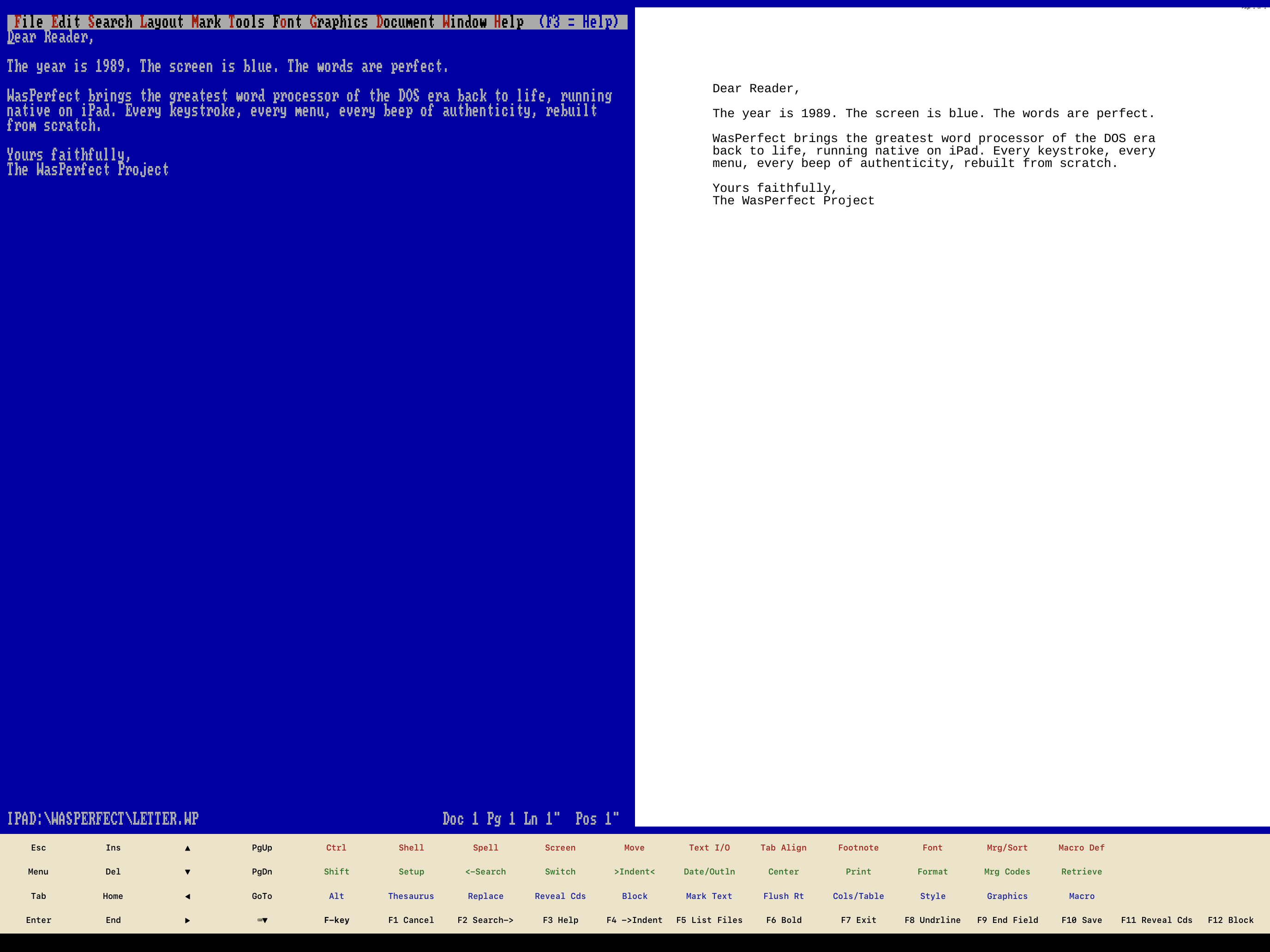
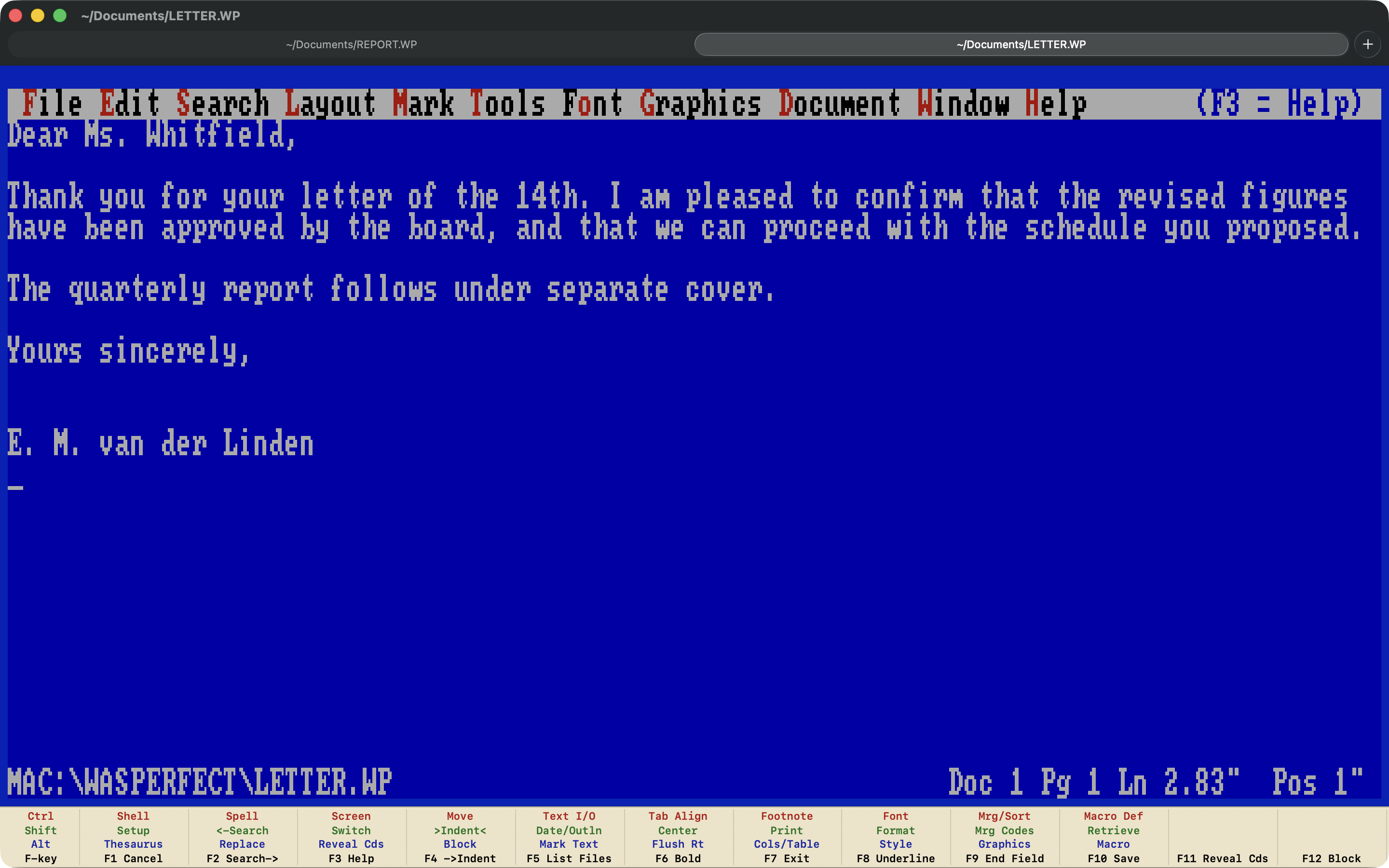
Doc 1 Pg 1 Ln 1" Pos 1" status line —
running native on iPad and Mac, with a live print preview.

 for iPad
for Mac
for iPad
for Mac
One-time purchase·no subscription·no accounts
Buy once, own it No emulation — 100% native No subscription No accounts Zero data collection No internet needed Works with or without a real keyboard

Why bring it back?
Because it got the important things right: one document, one screen, zero chrome — and every command one function key away. Nobody reached for a mouse. People carried the whole command set in their fingers — Shift-F7 printed, F10 saved, F3 helped — and stopped thinking about the software at all. Offices ran on it for years, and the muscle memory outlasted the machines it was typed on.
It didn't lose to a better word processor — it stopped being itself. When Windows arrived, the company chased Word with a port that landed late: slow, buggy, and mouse-first. The fastest writing machine of its era became just another window, and the keyboard-first word processor left the market. Until now — on the tablet that never belonged to the mouse, and back on the desk it was driven from.
WasPerfect rebuilds that machine from scratch: not an emulator, not a skin, but two native apps over one editor — where every keystroke, every menu and every beep behaves exactly as it did in 1989. It opens the era's plain-text format and writes Markdown, HTML and RTF like it was born in this decade — because it was.
On Mac it is a proper Mac application: a real window you can resize or throw full-screen, a tab for every document, and your own folders mounted as DOS drives. The Mac menu bar is almost empty on purpose — WordPerfect already had a good menu, and Alt-= still opens it, right there on the blue screen where it always was. On iPad the template lives on screen under your thumbs. Same editor underneath, so a document written on one opens on the other without moving a comma.
And if you never used the original: this is the most distraction-free writing environment ever shipped. Every "focus mode" of the last forty years has been trying to get back to this screen.
What you get
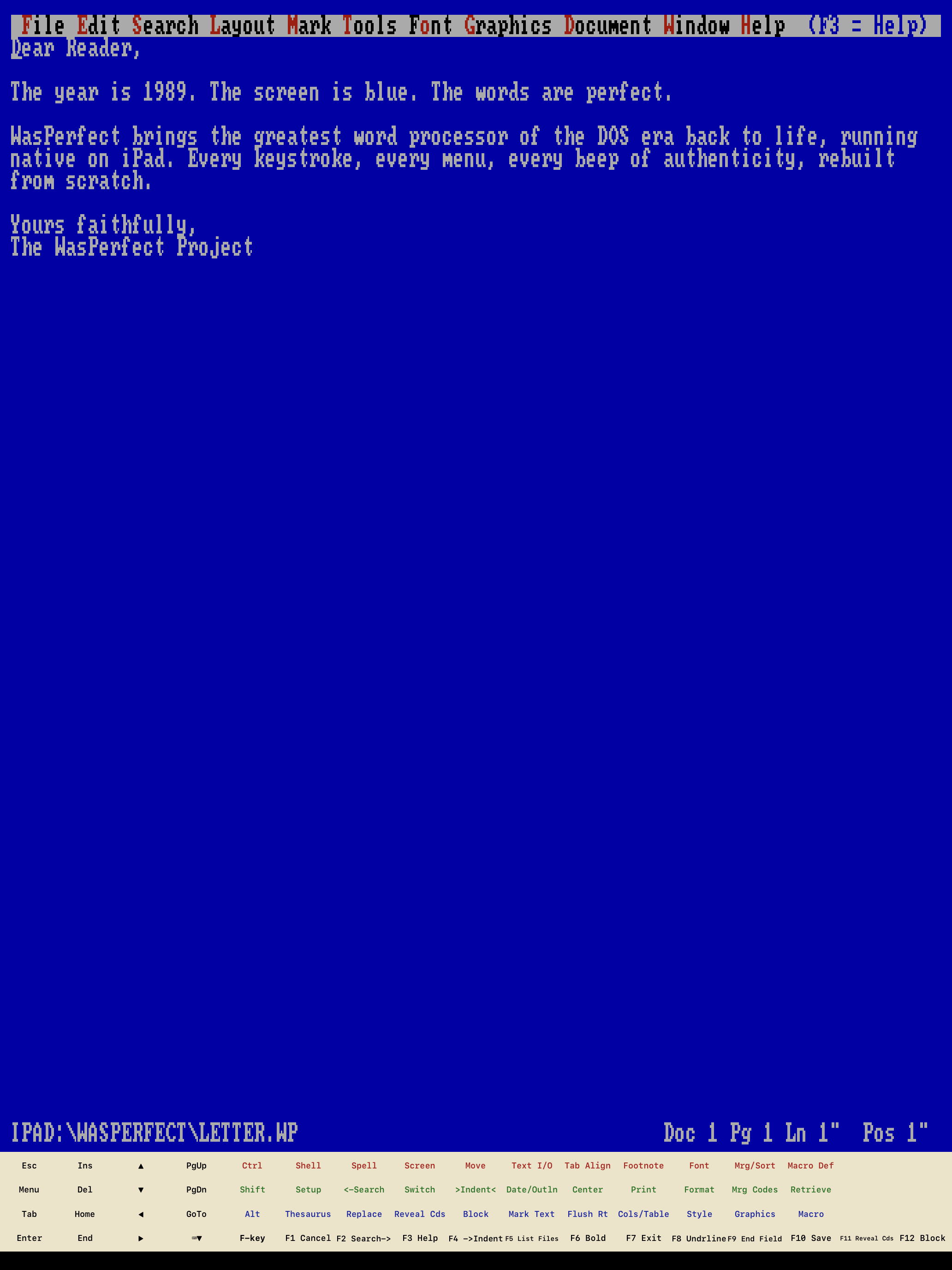
F6 The Blue Screen
80 columns of pure focus. The authentic bitmap font, the pull-down menus with red mnemonics, the status line that speaks in inches. No toolbars. No ribbon. No mercy.
F1–F12 The Function-Key Template
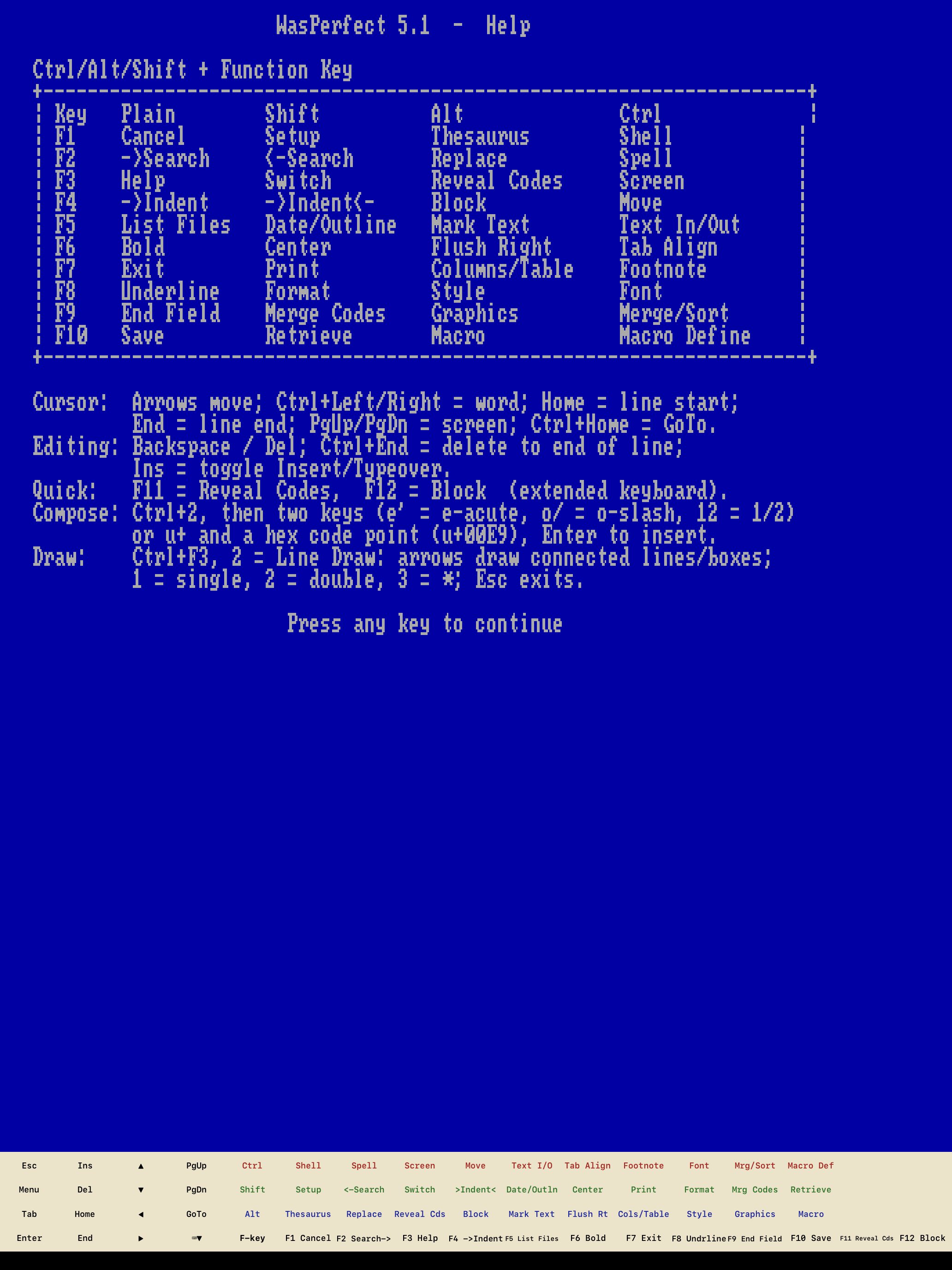
The complete Ctrl / Shift / Alt / plain grid — Cancel, Search, Help, Block, Bold, Exit, Save — on your keyboard, as an on-screen bar on iPad, and behind Alt-= on both, for when the F-keys belong to brightness and volume.
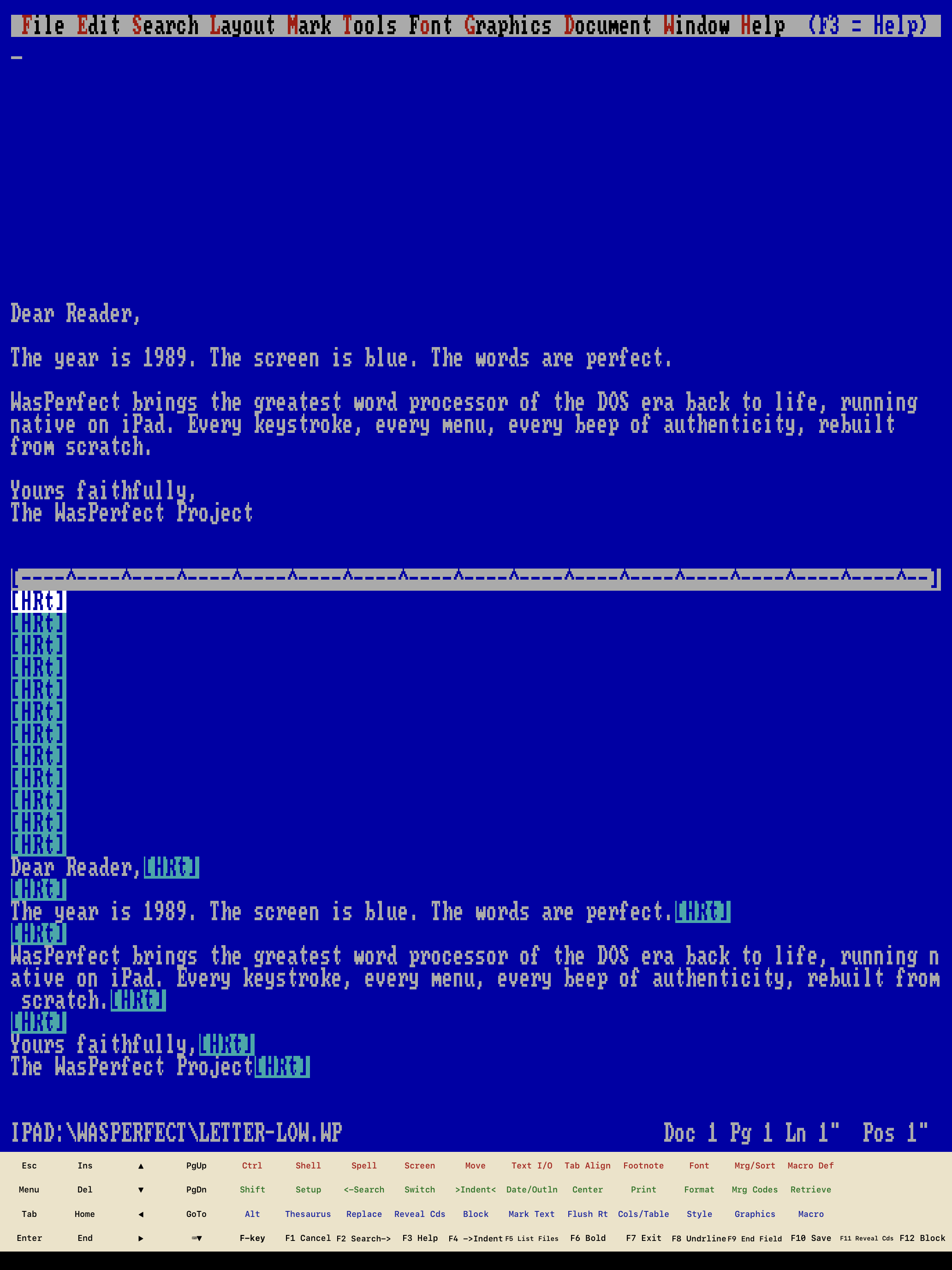
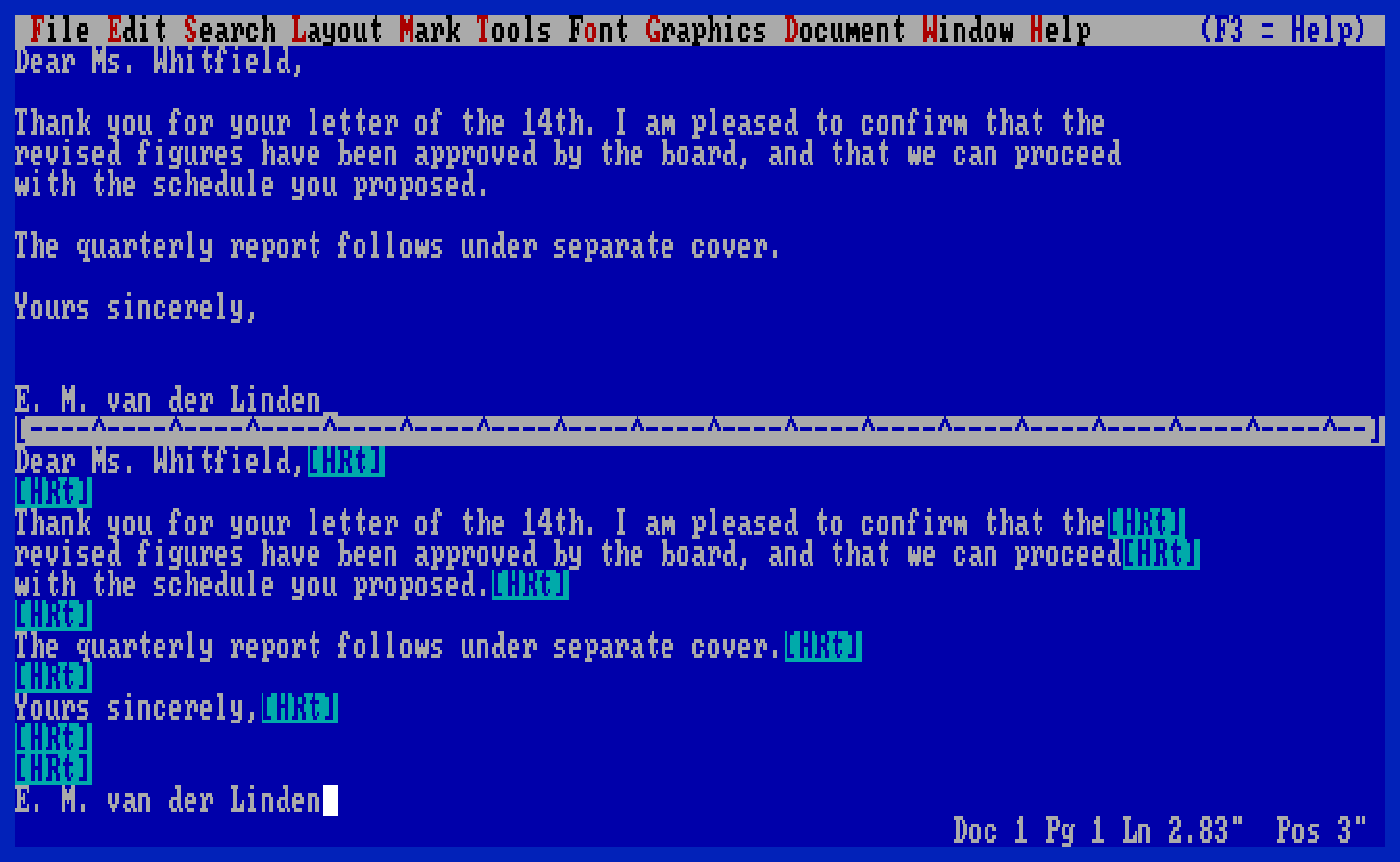
Alt-F3 Reveal Codes
The killer feature, alive again: split the screen and see every formatting code exactly where it lives. Your document has no secrets.
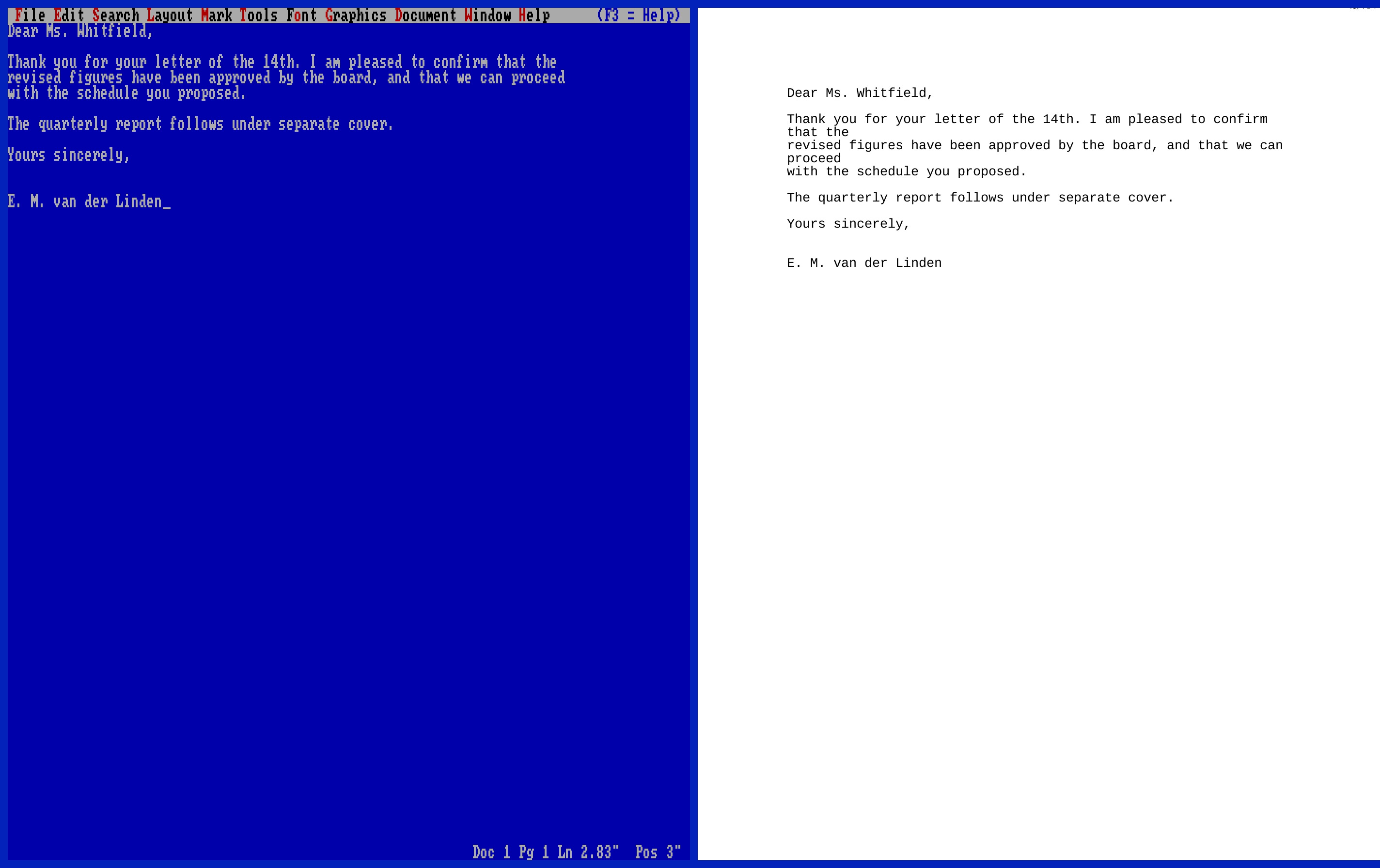
Cmd-P Live Print Preview
A real page, in real type, updating as you write. Beside the text in a wide window, below it in a tall one. The layout engine wraps with genuine printer metrics.
Cmd-T A Tab per Document
On Mac, every document opens in its own tab with its own editor behind it — Cmd-1 to Cmd-9 to jump straight to one, Cmd-Shift-[ and ] to cycle. The original held two documents at a time. Your Mac holds as many as you like.
F5 Your Files, as Drives
List Files works like it always did — and any folder you point it at mounts under its own DOS drive letter: iCloud Drive and the Files app on iPad, anywhere on the disk on Mac. Your .wp files are plain text, and Markdown, HTML and RTF convert on save.
Ctrl-F2 The Full Toolkit
Spell check, thesaurus, macros, merge, tables, columns, footnotes, equations — the deep cuts are here. Offline, private, no accounts, no subscription.
The template. The card that lived above your F-keys — Ctrl in red, Alt in blue, Shift in green. Every command of it, in the app, on screen or on your keyboard.
No F-keys? Press Alt-= — WordPerfect's own pull-down menus open on the blue screen, File to Help, and every command on this card is in them. That is how it worked in 1989, and it is why the Mac menu bar carries almost nothing: the program already had a good menu. On iPad, connect a Bluetooth or USB keyboard and the F-keys, Ctrl, Shift and Alt work exactly as printed above, while the on-screen template tucks itself away.
See it


Radically private
WasPerfect collects nothing. No analytics, no crash reports, no telemetry, no third-party SDKs — the app makes no network requests of its own, ever. There is nothing to opt out of, because there is nothing to opt into.
It runs entirely on your own iPad or Mac and never needs an internet connection — write on a plane, in a cabin, off the grid; every feature works identically. Your documents are plain files that belong to you: keep them on the device and they never leave it, or put them in your own iCloud Drive and the only thing that ever touches the network is Apple syncing your files — never us, because there is no us to sync to.
No accounts to create, no permission prompts — the app never asks for your camera, location, or contacts, because it has no use for them. In 1989 a word processor answered to the person at the keyboard. It still does.
Everything above is about the app. This website is a handful of static files: no cookies, no analytics, no trackers, no third-party requests of any kind — though the web server does keep ordinary access logs, as every web server does. The formal statement covering DopeCode and this site is our privacy policy.
Press kit
High-resolution iPad screenshots (2752×2064 / 2064×2752, straight off the device, no compositing): landscape split · blue screen · reveal codes · help template
Mac screenshots (2880×1800 / 2848×1792 / 1456×896, rendered at native scale): window and tabs · editor and preview · reveal codes
App icon (1024×1024): light · dark


| Name | WasPerfect |
|---|---|
| The original | WordPerfect 5.1 for DOS, released November 1989 — the version most people remember, and the high-water mark of the keyboard-first word processor |
| What | A faithful recreation of the classic 1989 blue-screen DOS word processor — native apps for iPad and Mac, no emulation |
| Platform | iPadOS 16 or later, with hardware keyboards or the on-screen template bar; macOS 13 or later, Apple silicon and Intel, with tabbed documents and full-screen support |
| Price | iPad $9.99, Mac $14.99 (US pricing; local currency varies) — one-time purchase. No subscription, no in-app purchases. The iPad and Mac apps are sold separately |
| Formats | .wp (plain text with inline codes), Markdown, HTML, RTF, TXT; PDF output |
| Privacy | Zero data collection — no analytics, no telemetry, no third-party SDKs, no accounts. Runs entirely on-device; no internet connection required. Privacy policy |
| Availability | Available now on the App Store — for iPad and for Mac |
| Contact | hello@dopecode.com |
F3 — Help
- What does it cost?
- $9.99 for the iPad app and $14.99 for the Mac app in the US store, and the equivalent in your own currency everywhere else. You buy it and you own it — there is no subscription, no in-app purchase, no pro tier, and nothing to renew. Updates for the current major version are free. The iPad app needs iPadOS 16 or later; the Mac app needs macOS 13 or later.
- Where do I buy it?
- On the App Store — the iPad app here and the Mac app here. Questions before you buy go to hello@dopecode.com.
- Is one purchase good for both iPad and Mac?
- No — they are two separate apps, bought and priced separately. They share the same editor and the same document format, so anything you write on one opens unchanged on the other, but the App Store treats them as two products.
- My Mac's F-keys control brightness and volume. Does that break it?
- No — press Alt-=. WordPerfect's own pull-down menus open on the blue screen, File through Help, and every command is in them without touching an F-key. That is not a workaround we bolted on; it is how the original worked, and it is why the Mac menu bar holds almost nothing of its own. If you'd rather have the real thing, turn on "Use F1, F2, etc. as standard function keys" in System Settings ▸ Keyboard, and the template works exactly as printed. Either way it's the same command underneath.
- Do I need a hardware keyboard?
- On a Mac you already have one. On iPad, no — the function-key template lives on screen, every command is also in the pull-down menus, and text entry uses the normal iPad keyboard. But for the best experience, connect one: Bluetooth or USB both work, the F-keys, Ctrl, Shift and Alt land exactly as printed on the template — and this is a word processor from the age when hands never left the keyboard. That's the way to feel it.
- Is it an emulator?
- No. WasPerfect is a real native app on both platforms, rebuilt from scratch to behave exactly like the original — the keys, the menus, the quirks. It launches instantly and runs at modern speed, not 1989 speed.
- What about my modern files?
- Documents are plain text with inline codes. On iPad they live in iCloud Drive and the Files app; on Mac they start in the app's own Documents folder, and File ▸ Mount Folder as Drive points the editor at any folder you like — it shows up under its own DOS drive letter. Markdown, HTML, RTF and TXT convert on save, and print goes to PDF. Nothing is locked in.
- Does it phone home?
- Never. The app makes no network requests at all — no accounts, no analytics, no crash reporting, no subscription — and every feature works without an internet connection. Turn on airplane mode and nothing changes. You bought a word processor; it word-processes.
- Is this affiliated with WordPerfect?
- No — WasPerfect is an independent tribute, built from scratch. See the notice in the footer.
Exit WasPerfect?
Your desk in 1989 is one download away. The blue screen, the blinking cursor, and nothing else in the world.
for iPad · iPadOS 16+
for Mac · macOS 13+
One-time purchase·no subscription·no accounts
Save document? Yes (No)